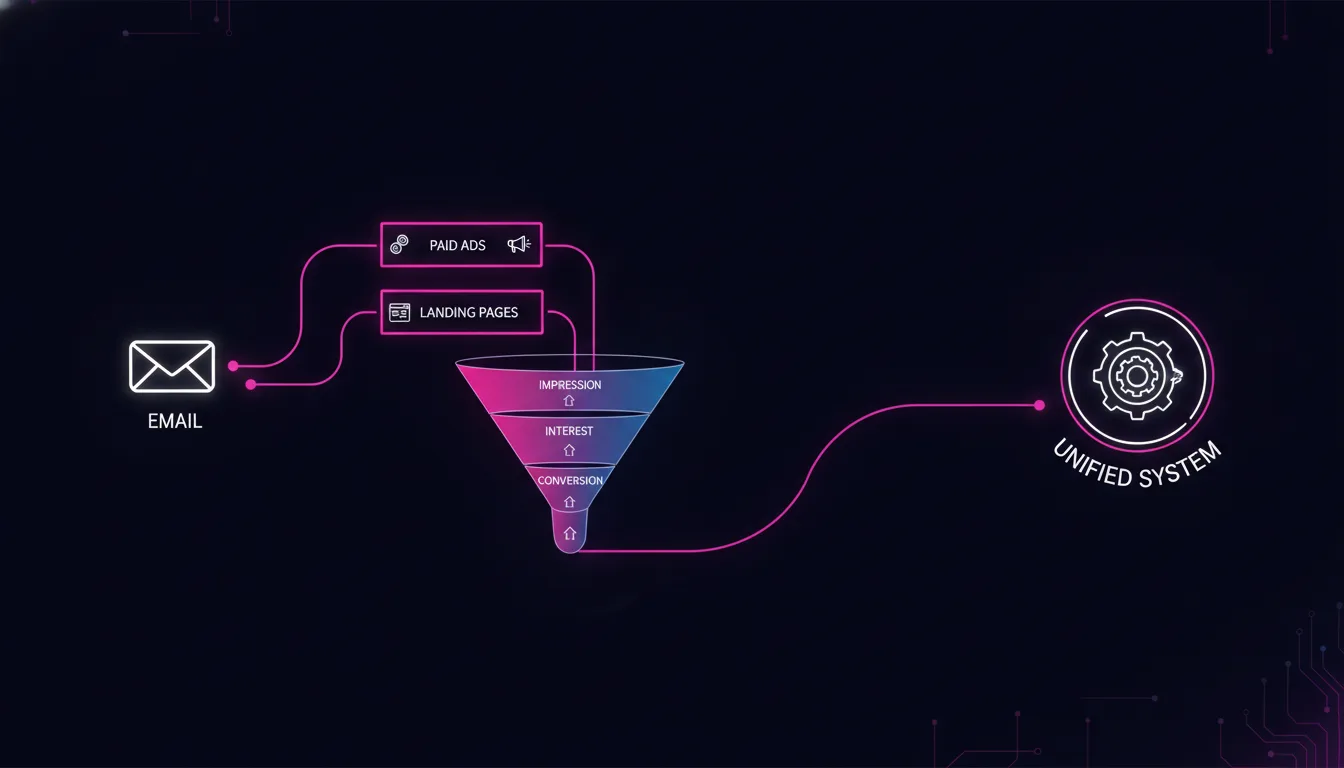
Why Email Automation Still Fails Most Brands
Key Takeaway: Email automation is not a standalone channel. When disconnected from your ads and landing pages, it becomes a one-way broadcast tool instead of a systems lever. True integration means email sequences respond to ad performance, track attribution across the funnel, and feed learnings back into audience selection — turning email from cost center into growth accelerator.
Email automation tools are everywhere. HubSpot, Klaviyo, Mailchimp, ConvertKit — every growth-stage brand has at least one sitting in the martech stack. Yet 71% of email marketers still report poor attribution and cannot confidently connect email performance to funnel outcomes.
The problem is not the email tool. It is that email exists as an island.

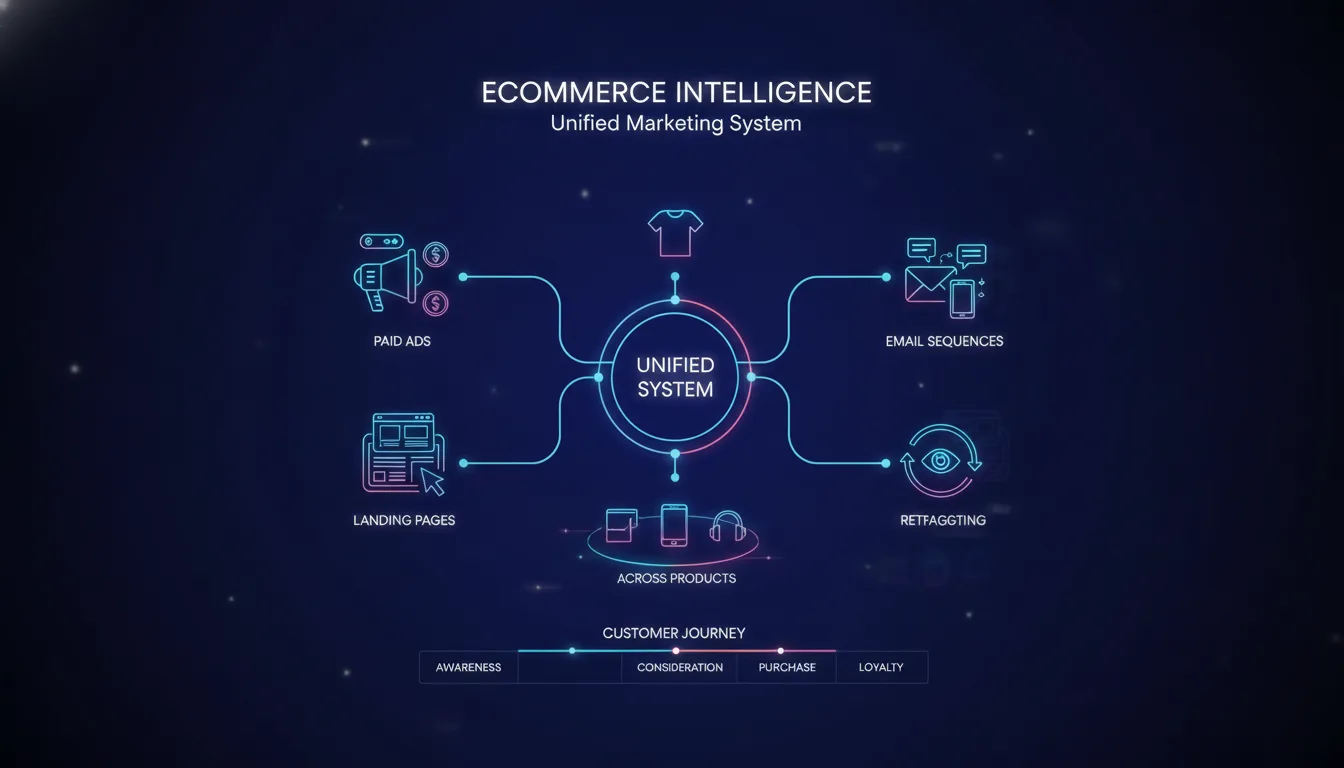
A typical setup looks like this: paid ads drive traffic to a landing page. The landing page captures an email address. That email address goes into an email platform. The email platform sends a sequence. But the email platform does not know what ad the user clicked. It does not know how they behaved on the landing page. It does not know if they actually converted — the email system is not connected to your conversion tracking.
So email sequences are built on guesses, not signals. Audiences are updated manually, not automatically. Attribution reports are incomplete. And when email does not deliver, the blame falls on "poor copywriting" instead of the structural failure: email is isolated.
This is what we call the automation silo problem. And it is costing your brand measurable revenue.
Consider the mechanics. A prospect clicks a Google Ads campaign for "best CRM for SMBs." They land on your pricing page. They scroll, then abandon. Forty-eight hours later, they get an email: "We have a solution for growing teams." But the email platform has no idea they abandoned after price comparison. So the sequence treats them like a cold lead instead of a warm prospect who just needed reassurance on ROI.
Compare that to integrated automation: the same prospect clicks the ad. The landing page fires a behavioral event ("pricing_page_view"). That event flows directly to your email platform and triggers a different sequence — not a generic welcome, but a "pricing clarity" sequence with social proof and ROI case studies. The email is informed by their actual behavior, not a generic persona.
That difference compounds. According to Mailchimp's 2025 research, emails triggered by user behavior have a 45% higher click rate than batch-and-blast campaigns. But only when the behavioral data is accurate and fresh.
When email exists in a silo, you cannot capture that 45%. You are optimizing in the dark.
The Difference: Integrated Email vs. Isolated Email

Dimension | Isolated Email (Most Brands) | Integrated Email Automation |
|---|---|---|
Audience building | Manual list segments based on signup form data | Automatic segments updated in real time based on ad source, page behavior, conversion status |
Sequence triggers | Generic time-based (day 1, day 3, day 7) or basic list segments | Event-based: triggered by ad click, page view, cart abandon, purchase — full behavioral context |
Performance tracking | Email metrics (open rate, click rate) siloed in the email platform | Emails linked to conversions through UTM parameters and server-side tracking |
Attribution | Email gets credit if it was the last click before conversion (last-click model) | Multi-touch attribution: email's true role across the funnel (first touch, assist, conversion) |
Feedback loop | If email performs poorly, you adjust copy and hope | Poor email performance signals that upstream (ads or landing page) may be attracting wrong audience — system adjusts selection |
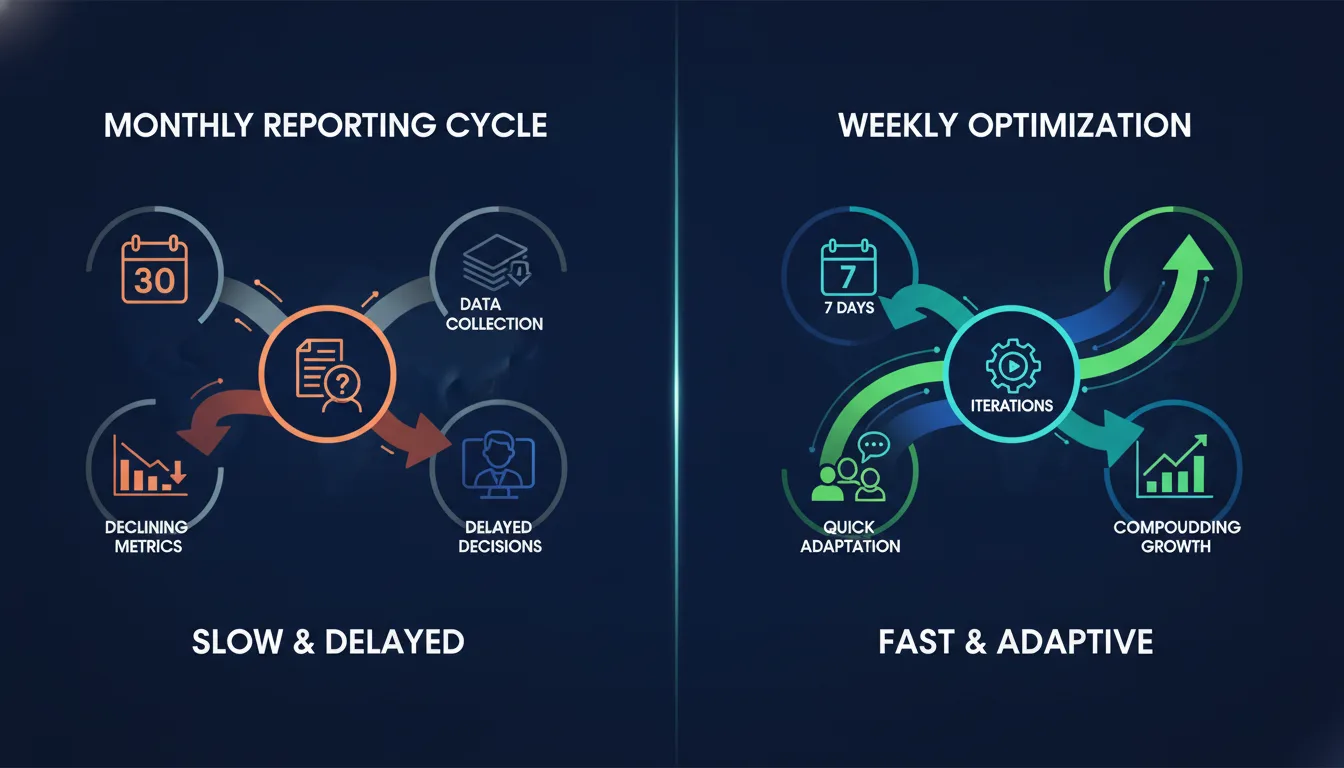
Optimization cadence | Quarterly or annual review | Weekly optimization: sequences adjust based on real-time data flowing from ads and tracking |
The gap is not subtle. When email is integrated, it becomes a feedback mechanism for the entire funnel — not just an outreach tool.
How True Email Integration Works: The Lifecycle Trigger Model
Integrated email automation operates on a simple principle: every stage of the customer journey — from first ad click through post-purchase — should trigger a documented sequence, informed by the full system.

Here is how it works in practice:
Ad click triggers entry. When a prospect clicks a Google Ads campaign or Meta ad, an event fires in your system. That event includes the ad source, the audience segment, the campaign intent. This event immediately becomes available to your email platform.
Email sequence activates based on context. The email platform does not send a generic welcome. It sends a sequence designed for that specific entry point. A prospect who clicked "enterprise pricing" gets a different sequence than one who clicked "free trial." Both are email, but both are informed by how they entered.
Landing page behavior refines the sequence. If the prospect bounces off the pricing page (a behavioral signal), the next email addresses objections. If they add a product to a cart but do not check out, the next email is a cart-abandonment sequence, not a generic check-in.
Conversion fires a lifecycle event. When a purchase, signup, or other conversion happens, that event flows back to the email platform, the ad platform, and your tracking system simultaneously. Email knows the sequence worked. Ads know the audience segment converted. Analytics has the complete picture.
Data compounds in the system. Every email click, every conversion, every abandoned sequence becomes a data point. Over time, the system learns which sequences work for which audiences, which entry points convert fastest, and which email send times maximize engagement for specific segments.
The operative word is signal. Every transition — ad click, page view, email click, conversion — is a signal. When signals flow both directions (from ads to email, from email back to ads), the system learns.
Why Email Attribution Matters (And How to Get It Right)
Email attribution is frequently bungled because email tools and ad platforms speak different languages. An email platform might claim "this campaign drove 200 conversions," while your Google Analytics says the email's actual conversion count is half that.

The gap comes from how each platform counts conversions. Email platforms often count any conversion that happened within a window after an email was sent — a last-click model that inflates email's role. Ad platforms count conversions differently. Analytics has yet another counting method. When these do not align, marketers lose confidence in all the data.
True integration uses server-side event tracking to create a single source of truth. Here is how it works:
Every touchpoint is logged server-side. When a user clicks an email, when they land on a page, when they complete a purchase — these events are sent directly to your server-side tracking system (like Google Analytics 4 with server-side tracking, or a custom data warehouse). No reliance on pixel data or browser cookies.
Each event includes full context. The email server knows which sequence triggered the email, which audience segment the user is in, and (crucially) which ad they originally clicked. The landing page knows the same context. So when conversion happens, the system knows the full path.
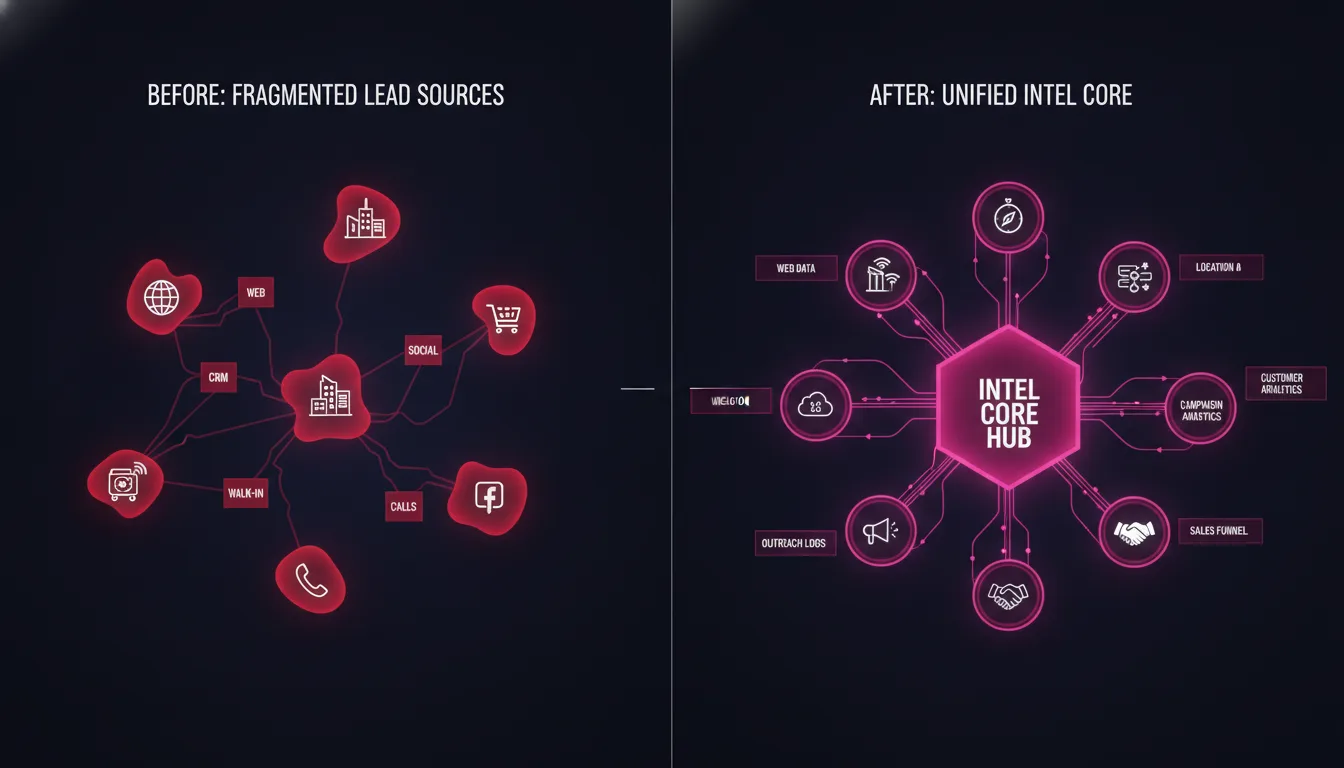
Attribution is transparent and consistent. Instead of three different systems claiming credit for one conversion, one system of record owns the attribution. Email attribution becomes credible again.
According to Braze's 2025 attribution report, only 13% of marketing leaders have high confidence in their multi-touch attribution data. The reason? Data silos. When email and ads do not share the same tracking infrastructure, attribution breaks down. Integration fixes it.
The Four Ways Email Connects to Ads
Email automation and paid ads are frequently treated as separate channels. Integrated systems flip that — they are one channel with different delivery mechanics.
Audience retargeting based on email engagement. Users who click your email but do not convert are warm prospects. An integrated system automatically creates a retargeting audience in Google Ads or Meta from that engagement signal. Your next ad campaign targets them with a different message. Without integration, that audience remains invisible.
Email warm-ups before paid acquisition. Some entry audiences are expensive to acquire but high-value. A smart integrated system might email a prospect twice before retargeting them with ads — softening them before higher-cost paid media. Ads are reserved for hotter prospects, reducing wasted spend.
Ad creative testing informed by email performance. If a landing page email sequence has high open rates but low click rates, it signals that the ad copy attracted the right audience but the page experience was weak. This insight flows back to your paid media team, who refines the ad creative. Without integration, that feedback loop does not exist.
Audience exclusion rules based on email history. A prospect who has received 5 emails with no engagement does not need more ads. An integrated system automatically excludes them from paid retargeting, saving budget and protecting brand perception. Manual exclusion would require weekly list uploads — integration makes it real-time.
How to Build Integrated Email Automation (In 3 Steps)
Building an integrated email system is not theoretical. It is mechanical. Here is the process:

Step 1: Audit your current setup. Map what email platform you are using, where your landing pages live, how conversions are currently tracked, and which ad platforms are running. Identify where data currently lives and where it is lost. Most brands discover that email has no idea which ads drove signups, and ads have no idea if email actually converted visitors.
Step 2: Connect via APIs and server-side tracking. Work with a technical partner (or your internal team, if you have one) to enable direct API connections between your email platform and your ad platforms. Set up server-side tracking so that every behavioral event — ad click, email open, page view, conversion — is logged to a central system. This is not difficult, but it requires someone who understands how APIs work and where to route the data.
Step 3: Design and deploy integrated sequences. Once data flows bidirectionally, you can build sequences that respond to actual user behavior. A cart-abandonment sequence that knows why someone abandoned (price, missing feature, just browsing). A nurture sequence that targets only prospects who came from high-intent keywords. A post-purchase sequence that varies based on what they bought.
For most growth-stage brands, this process takes 4 to 6 weeks from audit to first live integrated sequences. But the payoff is immediate: email efficiency jumps, ad spend decreases as retargeting becomes more precise, and your entire funnel starts working as one system instead of separate channels fighting for attribution credit.
What Integrated Email Looks Like in Practice
Here is a realistic example. A SaaS company targeting mid-market has two ad campaigns running: one for "project management tools" (competitive keyword, lower intent), and one for "team collaboration software" (higher intent, more specific).
With isolated email: Both campaigns drive signups to the same generic welcome sequence. The sequences are identical. Email metrics are the same. The company assumes the campaigns are performing equally and increases spend on both.
With integrated email: The system knows the source of each signup. Users from the "team collaboration software" campaign get a welcome sequence emphasizing team-level features and collaboration ROI. Users from the "project management tools" campaign get a sequence addressing feature parity and migration ease. Send times, content, call-to-action, and follow-up sequences all vary based on where users came from.
Result: the "team collaboration" sequence has 52% click rate, while the "project management" sequence has 38%. The company now knows to allocate more budget to the higher-performing ad source. Without integration, that insight is invisible.
And it goes deeper. Users who click the "team collaboration" email but do not convert are automatically excluded from the cheaper ad campaigns and instead retargeted with higher-context ads about implementation and ROI. Users who click but show low engagement are removed from the email sequence to preserve sender reputation. Every decision is data-informed, not guessed.
Common Mistakes in Email Automation Integration
We see these issues repeatedly:
Treating email as a broadcast channel, not a system. If email sequences do not change based on ad source, user behavior, or conversion status, you are still operating in broadcast mode. True integration means every user path is different, informed by data.
Using UTM parameters instead of server-side tracking. UTM parameters are URL fragments. They are useful for campaign naming, but they are not sufficient for attribution. They disappear in email clients, they are stripped by some email providers, and they give you no visibility into offline conversions. Server-side tracking is non-negotiable for integrated systems.
Building sequences without a conversion baseline. Before you build a fancy lifecycle sequence, establish: what is the baseline email performance for this audience? If you launch a new sequence and email conversions drop 20%, was the sequence bad or was the audience mix different? Without a baseline, you cannot optimize.
Forgetting that email is part of the funnel, not separate from it. Email performance is downstream of landing page performance, which is downstream of ad quality. If your email conversion rate drops, the first diagnostic should be: did the landing page change? Did the ad audience change? Only once you rule out upstream changes should you tweak the email itself.
Integration Infrastructure and Tools
You do not need enterprise tools to build an integrated system. Here is what actually matters:
Email platform with API access. Klaviyo, HubSpot, Mailchimp (via integrations), and Campaign Monitor all offer API integrations. This is not a differentiator — most modern email tools have this. What matters is whether your platform supports event-based triggering and real-time audience syncing.
Server-side tracking. Google Analytics 4 with server-side event tracking is table stakes. Some brands layer in a data warehouse (Snowflake, BigQuery) or use a middleware like Segment or mParticle to route events. For most growth-stage brands, GA4 server-side + direct API connections to your email platform is enough.
Direct API connections to ad platforms. Google Ads, Meta, and other platforms expose APIs that let you create and manage audiences programmatically. This is how audience sync becomes automatic instead of manual.
The infrastructure investment is moderate. Expect $2,500–$5,500+/month for a fully integrated system operated by someone who understands all the pieces. Many growth-stage brands spend 2-3x that on disparate email, ads, and analytics vendors — paying for integration that never actually happens.
How Email Integration Compounds
The real value of integrated email automation shows up over time, not in month one.
Month 1–2: You audit the stack, enable integrations, and launch the first sequences. Email open rates look normal. Click rates look normal. Performance feels unchanged from your previous email platform.
Month 3–4: Sequences are now informed by actual behavioral data. Different entry audiences are getting different messages. Sequences are triggering on real events, not time. Email click-through rates start to improve — not dramatically, but noticeably. Ads stop retargeting dead audiences.
Month 5–6: The system has 6 weeks of behavioral data. The email platform knows which sequences work for which audiences. Ad spend decreases because audience exclusion rules are working. Email volume per user decreases (fewer generic sends, more targeted sequences), but conversion rate per email increases. Cost per acquisition is lower than it was with isolated channels.
Month 6+: The system is compounding. Every sequence, every audience, every ad campaign adds to the collective intelligence. The Brand Technical Expert (the person operating the system) knows not just email performance, but how email performance cascades into ad efficiency, which cascades into landing page optimization.
At Metrics Masters, we see this pattern consistently. Brands that commit to integrated email automation see a 20–40% improvement in cost per acquisition within the first six months — not because email got better, but because the entire system became coherent.
Is Integrated Email Automation Right for Your Brand?
If your email still exists as a separate tool with manual audience updates and generic sequences, integration will change your results. The leverage is clear.
This model works best for:
Growth-stage brands ($500K+ annual revenue) where email volume justifies the infrastructure investment
Brands running paid ads into conversion funnels where email plays a clear role
Teams ready to shift from "email as a channel" to "email as a system lever"
Leaders who want their martech to work as one integrated system, not three separate tools
It is not the right fit if you are still in product-market fit discovery, or if you have a simple one-page marketing strategy. Integration adds complexity in exchange for precision — and precision only pays off when you have enough traffic volume and engagement to learn from it.

Your Next Step
If integrated email automation describes where you want to go, start with these actions:
Audit your current email and ad platforms. Document which data flows between them and which data is trapped in silos.
Talk to someone who has built integrated systems before. Not a vendor trying to sell you a tool, but someone who has actually integrated email, ads, and tracking. Ask what took the longest, what broke, what you should do differently.
Define your first integrated sequence. Not all of them — just one. Identify the highest-value audience (highest LTV, most common entry point), and design a sequence where every step responds to a behavioral signal from ads or the funnel. That one sequence will prove the value to your whole org.
Ready to integrate your email with your ads and funnels? Start a conversation with Metrics Masters. We work exclusively with growth-stage brands ready to turn email from a cost center into a systems lever.
For more on how systems-based marketing works, read What Is Managed Marketing Infrastructure or explore our email marketing automation solutions.
Frequently Asked Questions
What is email automation best practices in 2026?
Best practices now revolve around integration: connecting email to paid ads, tracking, and landing pages so that sequences respond to actual user behavior rather than generic timelines. Email should flow data into the funnel (click signals) and receive data back (conversion outcomes). Isolated email automation, no matter how sophisticated, performs 20–40% worse than integrated systems.
How do I connect email to my landing page funnel?
Use event-based triggering with server-side tracking. When a user lands on your page, fire a behavioral event (e.g., "pricing_page_view"). Route that event to your email platform via API. Set up an email sequence that triggers on that specific event, not on a generic time delay. The email responds to what they actually did, not when they signed up.
How do I track email attribution correctly?
Use server-side event tracking (GA4 server-side or a data warehouse) rather than relying on email platform counts or last-click models. Log every behavioral event — email open, click, landing page view, conversion — server-side. This creates a single source of truth for attribution. Your email platform and ad platforms should pull from that same source, not maintain separate counts.
Can I use my existing email tool for integrated automation?
Yes, if it supports APIs and event-based triggering. Klaviyo, HubSpot, ConvertKit, and Campaign Monitor all support this. Older tools or very simple platforms may not. Ask your email provider: do they offer REST APIs? Do they support event-based sequences (not just time-based)? If yes to both, integration is possible.
How long does it take to build an integrated email system?
Audit to first live integrated sequences: 4–6 weeks. This includes mapping your current setup, enabling APIs, building server-side tracking, designing the sequences, and testing. The hardest part is usually server-side tracking setup, not email design.
How much does integrated email automation cost?
Email platform costs are typically $300–$1,000/month depending on subscriber volume. The infrastructure cost (server-side tracking, API connections, someone operating the system) typically runs $2,500–$5,500+/month. For growth-stage brands, this often replaces multiple disconnected tool retainers and saves 20–40% compared to fragmented setup.
What is the difference between lifecycle marketing automation and email automation?
Email automation is the tool or channel. Lifecycle marketing automation is the strategy of responding to customers based on where they are in the customer journey (awareness, consideration, decision, post-purchase). True lifecycle automation must be integrated — early sequences (awareness) different from bottom-funnel sequences (decision), with email informed by ads and tracking data at every stage.

Jeremiah Shaw
CEO & Technical Marketing Specialist · Metrics Masters | Brandlio
International
Technical marketing specialist pushing boundaries in Google Ads, automation, and AI-driven growth systems. Paragliding and adventure enthusiast.